Ten Years Of Emacs
This post is a reflection on over ten years of Emacs usage. Why did I even start using it? How has my usage changed over the years? What's the future looking like? I'll discuss this and a whole lot more. It's a spiritual successor to my Updating My Custom Emacs Setup - Part One: Upgrading Packages post.
→ In The Beginning
My first exposure to Emacs was over ten years ago. At the time, I was working in what could be called "a Common Lisp shop"; their software was made with Common Lisp after all! And all of the developers used Emacs. I joined the technical support team, our job was to interface with customers and field questions and issue reports. At the time I was a paid PyCharm licensee, and I used Sublime Text for basically everything else.
It was not at all unusual for me to pair with a developer on a particular issue. This is how I learned SQL, it was not uncommon for bugs to cause a bad state that would trigger 500 errors and other issues, but it's also how I learned about Emacs. In particular, I was exposed to SLIME. If you're not familiar, SLIME is essentially a debugging environment that you can use with Common Lisp. Although I was still relatively new in my career, it was immediately apparent to me how powerful this was.
I watched over the shoulder of a developer as he sat at my desk, fired up Emacs, connected SLIME to the running application, and went about poking around and making edits. We were making changes to the application code without actually changing the code at all! Seeing live data structures edited, results reflect in the running app, the kind of power and potential offered by the homoiconic nature of Lisps, it really piqued my curiosity.
At first I simply installed Emacs, ran it vanilla, and did the built in tutorial. I wrote common keybindings on post-it notes, and placed those on my desk where I could refer to them as I built a new habit. But through work colleagues, I was aware that much more was possible via packages. 1
Once I realized that I could more or less faithfully replicate basically all of the most important features of PyCharm (for me), I made the decision to move to Emacs as my daily driver. And thus began the journey.
→ Modding Emacs Is Like Modding A Video Game
I say "modding" tongue-in-cheek but also seriously. If you've ever modded a video game, this cycle will be familiar to you:
- Pick a game to play
- Know that modding is a thing for it, or become aware of that fact
- Take a quick look at what's available
- Find some interesting things
- Start piling things on
- Repeat!
Or maybe you're following a mod list/pack, but you want to take things out/add things/change things. To quote the film "Fear and Loathing in Las Vegas":
... Not that we needed all that for the trip, but once you get locked into a serious drug collection, the tendency is to push it as far as you can.
It's a silly reference but again, if you've ever modded a video game you probably know where I'm coming from! Once you start, it can be hard to stop. Here's another fun one:
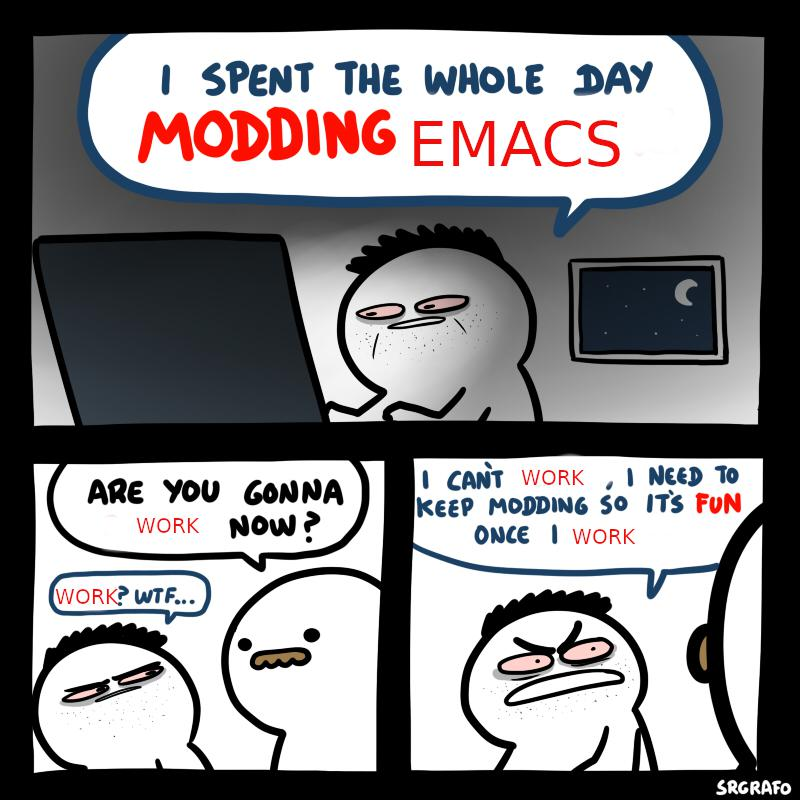
What you may not realize until later is that you're most likely accumulating a lot of tech debt and bad UX (user experience). The paradox here is: you can't always learn this stuff without some experimentation. Some trying and failing. You become a little battle-hardened along the way, and you learn what's important versus what's really not.
→ The Everything Era
I'm actually the founder of a popular modding website for the game Morrowind, Modding-OpenMW.com, and it's fascinating to examine the parallels between "modding" Emacs and modding video games. 2
When you first start off, it can be very tempting to just keep searching for new and interesting things, adding anything that's mildly interesting or useful.
Eventually you realize there are conflicts, redundancies, and things you don't even really want (probably included alongside something you did want). The early years of modding Emacs and Morrowind for me were a time of excess, and learning to mold a pile of things into something usable. If it sounds good, toss it in! Think about it more later, if ever. All of the things you heard about it being a big task, a chore, it's all true when you do it this way. You're signing up for a poor experience that will require a lot of time investment to maintain.
It was honestly a bigger issue for my Morrowind experience, where conflicts tend to be at least mildly game-breaking in some way, but it affects your Emacs experience in similar ways. This isn't unique to Emacs or Morrowind of course, but the more plugins/mods you use, the more code you're effectively owning - whether you admit that or not. You may suddenly find yourself wanting to change something only to find out it's already been changed, and maybe the way it came out of the box is what's ideal. You simply didn't realize that a particular mod/plugin changed it, and you didn't spend enough time using Emacs without mods to know what exactly the vanilla experience was like.
For Emacs, over time this manifested itself in the form of: I had accumulated many packages that, while they are great, they actually could be replaced by things that are built into Emacs. Thus begins my "less is more" era.
→ Do You Really Need It?
I have to thank Karthinks for really opening my eyes to the fact that the modless Emacs experience is actually quite good! I highly recommend you give his Batteries Included With Emacs post a read. After reading this article I knew that I was missing out on a lot of things because I simply jumped right into modding Emacs, and I didn't take much time to see what was already there. 3
Another highly influential post for me was Mickey Petersen's Bad Emacs Advice. I noticed myself feeling a tad on the self-conscious side about some things he said, for example: I absolutely knew that the menu bar was a waste of screen space and why would I use it? Other things he wrote about, such as the tutorial, I absolutely agreed with. Overall I found myself once again in the position of a deep reflection on my Emacs usage. 4
I would soon learn that there's a very healthy community of folks who focus on lean but highly effective Emacs setups. Shout-out to Technomancy's Better Defaults which shows what's possible with a very small set of changes, focused on very basic UX improvements. Not only is what Emacs ships with out of the box extensive and powerful, but a lot of the defaults are actually quite good. And those that arguably aren't the best for a newcomer (or maybe even a seasoned user!) could be changed with relative ease without any external packages.
→ Batteries Included
And so would begin my efforts to remove third-party packages that had a built in counterpart. This is not to say that the packages I'm about to mention are bad or that you shouldn't use them! They all more or less functioned well for my purposes, but as my priority shifted to utilizing builtin functionality I dropped them from my setup:
-
Company mode (and other related packages) to Corfu.
- Although I don't use any cape backends for Corfu, I do use extensions that come with the corfu package. Namely: corfu-echo, corfu-history, and corfu-info. So far I haven't felt the need to explore cape, maybe someday!
-
Flycheck to Flymake
- Good integration with Eglot (see below) makes this one in particular work out really well
- I don't actually have any Flymake-specific configuration outside of two keybindings
-
lsp-mode to Eglot
- This one has the most drastic out of the box UX difference - whereas lsp-mode turns a lot on by default, Eglot takes a more conservative approach - you almost don't know it's there.
- My own Eglot config mainly consists of wiring in when I want to use it and setting LSP server programs. Nothing too wild. 5
-
Smart Mode Line to the vanilla modeline with a couple customizations
- I was a happy SML user for many years, but when I recently noticed an issue with modeline elements overscrolling on the right side, it became clear that there were several other arguably major issues - and that the package itself seemed to be more or less unmaintained. 6
-
Once I learned that customizing the modeline in smallish ways was a simple as doing a
setq-defaultonmode-line-format, I began experimenting with small changes that were influenced by SML's style. The result is something that feels similar to SML in a lot of ways with a vastly smaller code footprint. 7 8 9
Note that these were not one-to-one transitions; each of these differed from their third-party alternative in many ways, sometimes wildly (see lsp-mode to Eglot). In general though, I didn't experience any overall loss in functionality.
→ Say Yes To Menu Mode
Another notable change in my workflow has come somewhat recently as I've begun using a "global menu" as provided by Xfce. If you aren't familiar with the concept, it's more or less what macOS users are very familiar with - there's a bar somewhere on the screen that houses the familiar "File"/"Edit" menus, among others. The Menu Bar (that's the thing that adds those menus I just mentioned) is something I've disabled for a long time, because I felt that the tradeoff of a little more buffer space was more than worth it. But as I wrote above, it was MickeyP that reminded me of the potential usefulness of things such as this, that I assumed were beneath me. 10
Making this work with how I run Emacs, that is as a runit "user service" running the Emacs daemon and I connect with emacsclient, turned out to be somewhat nontrivial. You see, in order for the global menu interop to work, the Emacs daemon needs to know about your Dbus session. This isn't going to be available until after you log in, but the service will be running prior to that.
The pattern I've settled on to make this work is arguably a bit of a Rube Goldberg machine, I'll own that, but in practice it's turned out to work reasonably well:
-
Run a small shell script at login that will write the
DBUS_SESSION_BUS_ADDRESSvariable to a file under/run: 11-
$HOME/.config/autostart/save-dbus-env.sh:
#!/bin/sh echo "DBUS_SESSION_BUS_ADDRESS=$DBUS_SESSION_BUS_ADDRESS" > /run/user/$(id -u)/dbus-session-env -
$HOME/.config/autostart/save-dbus-env.desktop:
[Desktop Entry]
Type=Application
Name=Save DBus Env
Exec=/home/hristos/.config/autostart/save-dbus-env.sh
Hidden=false
#!/bin/sh
export USER=hristos
export UID="$(id -u $USER)"
export HOME=/home/$USER
export XDG_RUNTIME_DIR=/run/user/"$UID"
export DISPLAY=:0
export PATH=$HOME/.local/bin:"$PATH"
export GTK_MODULES=appmenu-gtk-module
export XAUTHORITY=$HOME/.Xauthority
export XDG_DATA_DIRS=$HOME/.local/share:/usr/local/share:/usr/share
export GSETTINGS_BACKEND=keyfile

while [ ! -f /run/user/${UID}/dbus-session-env ]; do
    sleep 1
done
. /run/user/${UID}/dbus-session-env
export DBUS_SESSION_BUS_ADDRESS

exec /usr/bin/emacs --fg-daemon=$USER-emacsd
This very likely also applies to a system-level service, though I've not yet tried it in that context.
Related to the global menu, the primary bits that make that work in the above service are the following:
export DBUS_SESSION_BUS_ADDRESS="unix:path=/run/user/${UID}/bus"
export GTK_MODULES=appmenu-gtk-module
export XAUTHORITY=$HOME/.Xauthority
export XDG_DATA_DIRS=$HOME/.local/share:/usr/local/share:/usr/share
export GSETTINGS_BACKEND=keyfile

while [ ! -f /run/user/${UID}/dbus-session-env ]; do
    sleep 1
done
. /run/user/${UID}/dbus-session-env
export DBUS_SESSION_BUS_ADDRESS
Note that you'll need a GTK3-enabled build of Emacs (on Void Linux that's the emacs-gtk3 package), however broken down:
- Set several env vars, effectively scaffolding for the global menu
-
Do a
whileloop until the Dbus info we need has been written - Load that into the service environment
- Run the daemon
With all of that, you should now see Emacs' menu in your global menu area as pictured below: 12
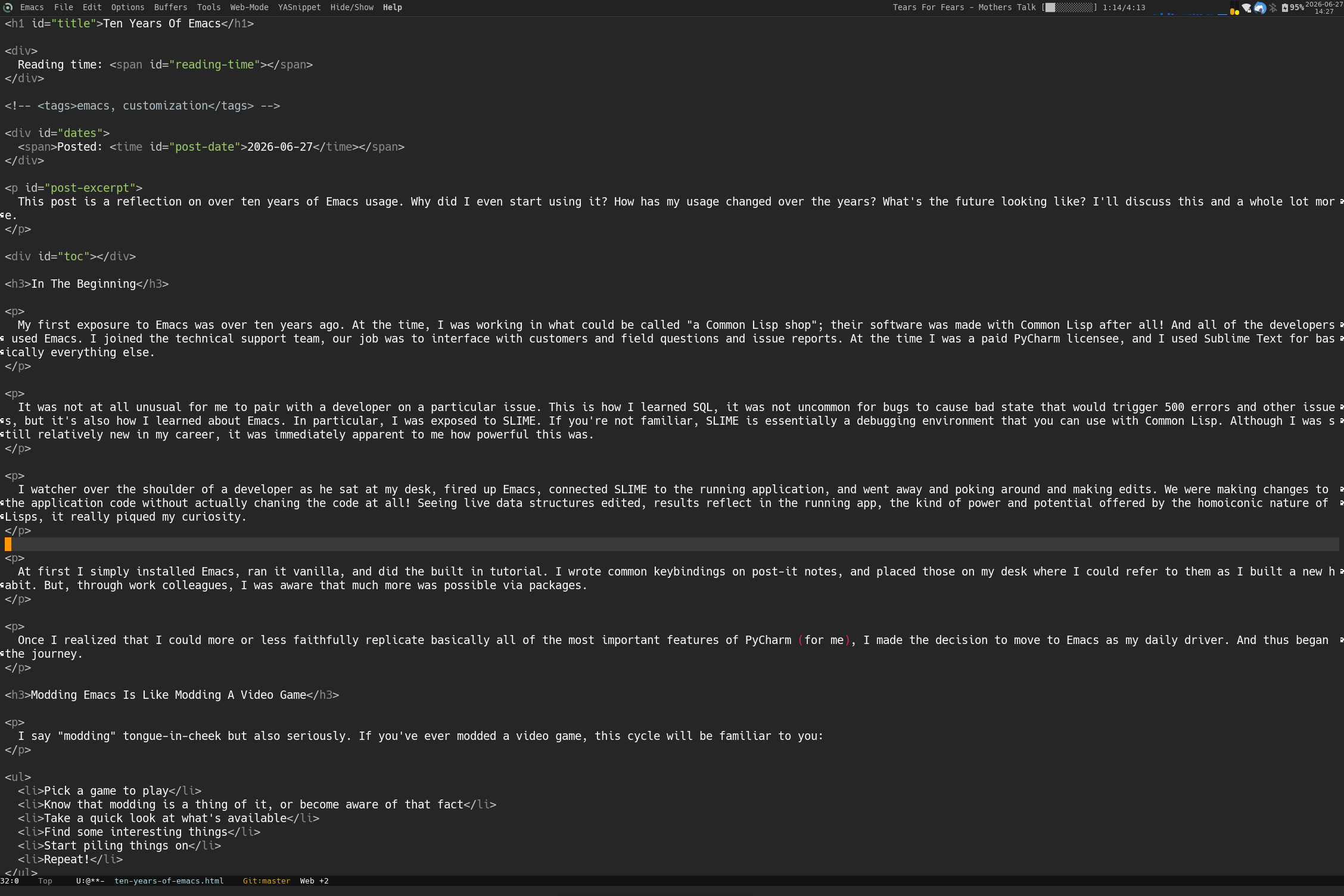
If you're not using Emacs in daemon/client mode, then none of this is needed. Simply ensure the menu bar is enabled and you should be good to go.
→ The Kitchen Sink
Even people who don't use Emacs may be somewhat aware of the fact that it can do a lot. Or rather, can be made to do a lot. It's not uncommon to find stories of people who do their absolute best to do everything they possibly can within Emacs. Email, chat, web browsing, music, an RSS reader, and much more that I can't think of or will probably never know about.
Myself: although I've dabbled a bit in elfeed, by and large I do not use Emacs for things outside of editing various kinds of text. I wouldn't say there's anything wrong with "living in Emacs" as it were, it just never really pulled me in as a goal. I even prefer to use a dedicated terminal over eshell or eat, and Thunar instead of dired. Maybe someday I'll get the itch to do more, but for now I think part of what keeps me away from that sort of thing is the potential code/config footprint that goes along with it (and maintenance unknowns). 13
→ The Maintenance Burden
Now that the history rant lesson and rough overview of my setup is over, let's talk about using this over time and what it's like to actually maintain a custom setup across a decade. I think the commit history on my dot-emacs repo more or less speaks for itself (I don't make updates all that often, and the nature of them is usually nothing crazy or burdensome), but I'll share a few takeaways from my own experience:
-
I'm using the combo of use-package and straight.el for package management
- The goal here is twofold: a code-driven and fully idempotent setup
- You could argue that this combo is redundant; what can I say: I just like the combined UX
-
You don't really have to update. Like, anything, like ever.
-
If you do decide to update, it's a simple matter of doing a
git pullon the package or packages you wish to update - or you may use straight.el commands to do so (e.g.,straight-pull-packageorstraight-pull-package-and-deps, among others) - The value of not updating cannot be overstated. Especially as I see folks using other editors complain about updates ruining their experience by adding features they don't want. Emacs being as old as it is here is a serious advantage to that end. 14
-
If you do decide to update, it's a simple matter of doing a
- Cross-OS operability: in the last several years I've worked on both Windows and macOS systems - my setup more or less functions as expected on those systems with little to no effort. 15
People often (rightfully) talk about the time and maintenance burden of owning a custom setup, but my experience over the years is I think an indication that it need not be. Coming back to the Morrowind modding parallels: over time I've found the sweet spot of maintaining a customized, highly functional, but also highly curated setup where each addition is very intentional to be highly rewarding. I've attained a value literally not found anywhere else. Yes, it's more work than using another setup or Emacs "distro", but I also largely know what I have and what it all does. When I encounter an issue, or identify the need for an additional change/tweak/package/mod, I'm better equipped to really weigh the costs. 16
→ On Emacs "Distros"
I say this not to disparage, discourage, or poo-poo on "Emacs distros" as they are known in any way, I'm glad they exist and I respect those projects, but: in my opinion, if you're going for something like that, you might be better served by another editor. The primary motivation for my feeling this way is the simple fact that: when you use an Emacs distro, you're having a large amount of stuff plopped right into your lap. You don't know what you have, you might not even know how to find that out.
This is the bane of convenience, and here's yet another parallel with Morrowind modding that I've seen: when folks have super convenient tooling at their disposal that can potentially install and fully set up 600+ mods in a matter of 20 or so minutes, it's hard to get a grasp on what exactly you're ending up with. 17
My feelings on the matter are highly influenced by my own early experiences that I wrote about above. At some point you aren't really playing Morrowind or using Emacs, but something vastly different that may resemble it, and the line between what's original and what's changed is unclear. Someone might try a distro or mod list and think "wow, I don't like this! Morrowind/Emacs is really terrible", without realizing what they are experiencing is but a slice of the original.
In the Morrowind modding community, we see this in the form of an Eternal September of the same questions asked over and over again. They aren't unreasonable questions, and we have tried our best to preempt as many as possible on an FAQ page, but the fact is that when the cost of entry is so low you'll find that folks' level of effort they are willing to put into discovery and learning is much lower.
So: great! You're now using a fully modded Emacs setup with the works. How is it better? How do you know if you even like it? How do you know which of the 600+ mods you have does the little thing that's now bothering you? This will create an obstacle between the user and a positive experience.
Here's one spot where my "it's like modding video games" analogy kinda falls apart though: while I wouldn't hesitate to recommend having a custom Emacs setup to an interested person, I would absolutely not advise the uninitiated to do their own Morrowind mod setup. There's too much you need to know, too much that can go wrong, and many places where these things are readily solved. You can say the same for Emacs perhaps, but I would counter that it's a much more well-understood medium, and certainly much better documented. 18
→ Conclusion / The Future
What a long, strange trip it's been. Over time I've seen myself go from an arguably over-eager newbie, wanting to dive into as much as possible, to a hardened power user that knows just what I want. Along the way new things have dramatically changed the way I do things (LSP alone is such a huge thing to have), and as I've learned about cool things that come with Emacs, I've learned that so too can the old things enhance my experience in various ways.
Do I see myself using Emacs in another ten years? Hopefully! I have no desire to explore another editor, though I do see myself continuing to explore and tweak Emacs. Barring an unexpected event, I'm looking forward to the future and all that it has to offer me. And I do also see myself continuing to curate my own config. Over time my setup has actually shrunk while simultaneously it's grown. It's a fun thing to think about.
Thank you for reading, happy hacking! 19
→ Previous Emacs-focused Blog Posts
- Updating My Custom Emacs Setup - Part One: Upgrading Packages
- My Custom Emacs Setup
- Emacs daemon as a runit "user service"
- Emacs daemon as a runit service
→ Footnotes And References
1 Major props and big thank yous to Lee Ayers and David Scheidt. I learned a lot from both of you and am very thankful for the mentorship. Love ya both!
2 Shoutout to the amazing MOMW Team, the project wouldn't still be around without you.
3 The "Batteries Included" series is ongoing, with a new entry having dropped somewhat recently - definitely give it a read.
4 I'm a happy owner of Mickey's book, "Mastering Emacs". I absolutely recommend it!
5 Link to the relevant part of my config
6 These two were deal-breakers for me: Modeline trucation in Emacs 29 #261, Marker leak and undo history size explosion #257
7 Mode Line (Programming in Emacs Lisp)
8 A cool writeup by jamesnvc about customizing the modeline: https://occasionallycogent.com/custom_emacs_modeline/index.html
9 My modeline as of this writing.
10 I'm working on another post that goes over the history of and current configuration of my Linux desktop setup, which itself spans almost twenty years! I'll discuss using the global menu more at that time.
11 Technically, you could perhaps put this file anywhere. /run felt rather idiomatic to me for this purpose.
12 Big thanks to Settyness for his help and Linux desktop expertise, without which I wouldn't even know "global menu" was a thing (let alone actually be able to use it).
13 Of course I absolutely do use Magit! And truth be told, I keep finding myself being tempted to use Emacs as a serious MPD client, but thus far have not taken the plunge on that. I don't really use the simple-mpc package in my Emacs config all that much.
14 It's safe to say Emacs won't be shipping any AI-enabled features any time soon. Not trying to hate on that stuff or make any kind of comment on it, there's certainly a rich community around it all, but you have to opt-in by way of using a third-party package, and I do not see that changing... probably ever.
15 As a Void Linux user, the hardest part about running Emacs on another OS is where to actually find a good build. This is arguably harder on Windows, and can be made exponentially more difficult depending on how locked-down your system is.
16 To be fair: I do still maintain mod lists with 600+ mods for Morrowind/OpenMW, but I also have and enjoy vastly simpler lists with a tighter focus. There's room for both things, but it goes without saying that balancing 600+ mods, and making them all work together, is much harder than doing so for a couple handfuls. In the case of my Emacs setup, I've absolutely leaned towards "less is more" which I think has paid off. This is where it diverges from modding a video game by quite a bit :)
17 Not to mention, it's also hard for the preferences of random people to align when it comes to specific and/or niche things. I don't prefer modal editing, but you aren't wrong if you want that sort of thing. "I don't like that mechanic, UI, or shader" in the case of Morrowind mods.
18 We're talking about a proprietary video game versus a FOSS OG. Even if the OpenMW and MWSE projects push our understanding of Morrowind well beyond where anybody ever had any business being, there's still a lot that's hard to know or understand for many reasons beyond the availability of source code. Think intent, that sort of thing. You had to be there!
19 Obligatory: Interview with an Emacs Enthusiast [Colorized] (YouTube)